Tips: Vulnerability
It provides information on collecting vulnerability data, notifications, and how to display scores.
Vulnerability Data Collection
- Vulnerability data is updated daily in the FOSSLight Hub from the NVD and OSV databases.
- The Vulnerability Score in FOSSLight Hub is primarily based on the CVSS v4.0 Base Score. For NVD, it is collected according to the following priority order. However, for OSV, if a CVSS Score does not exist, the Severity Score is displayed as-is in the format provided by the OSV database.
- CVSS v4.0
- CVSS v3.1
- CVSS v3.0
- CVSS v2.0
Vulnerability Notification
- When a project's Identification stage has been confirmed, if a CVE ID with a CVSS score equal to or higher than the threshold is detected among the OSS included in the SBOM, or if the Max CVSS Score changes from above the threshold to below it, a Vulnerability Score Change notification email will be sent.
- Recipients of the notification email : Project's Creator, Users with edit permissions, Reviewer, and Security Responsible Person.
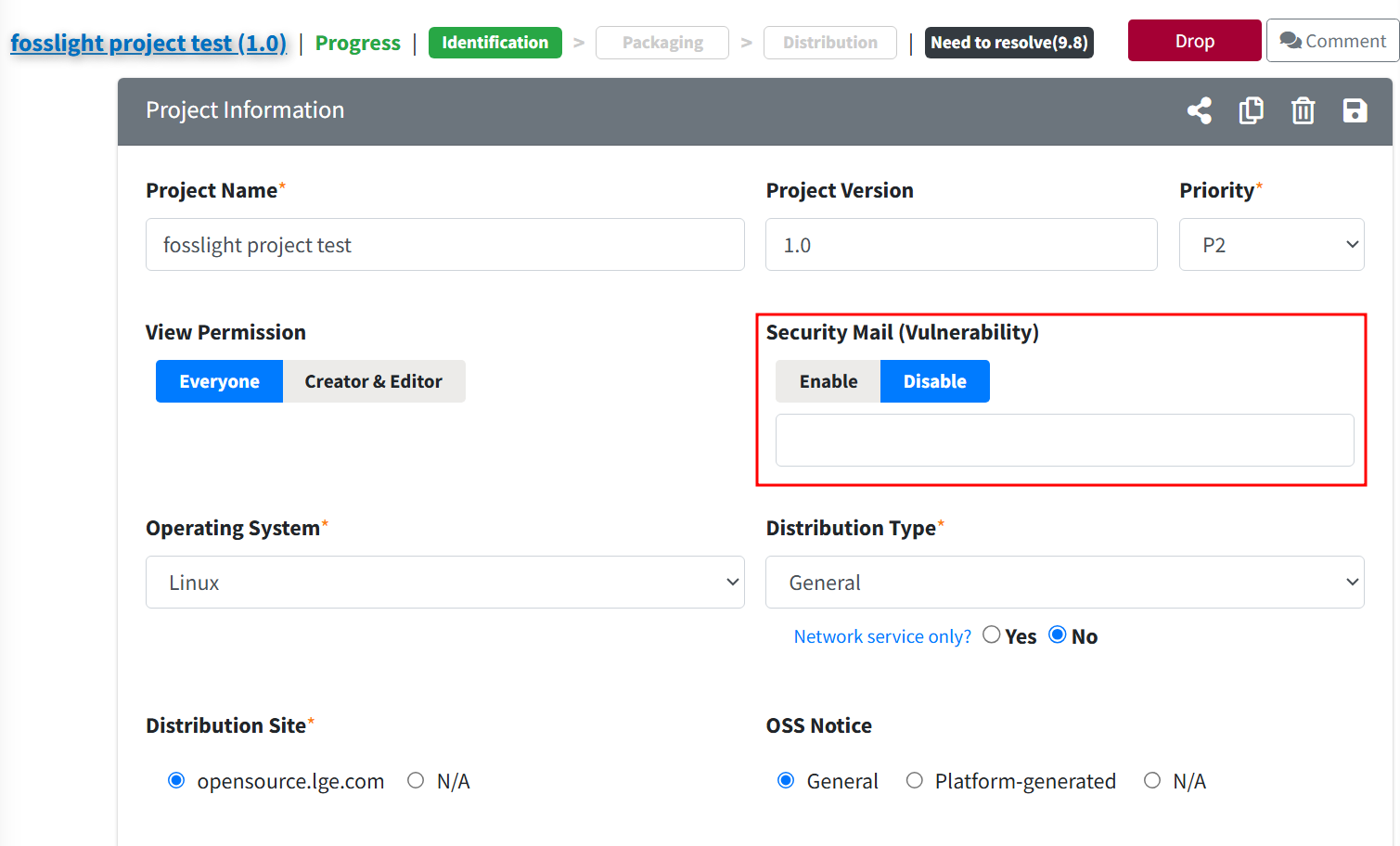
- If you no longer wish to receive notification emails, you can change the Security Mail (Vulnerability) setting to Disable in Project Information.
Vulnerability Score Display Method
- In Project, 3rd Party, or Self-Check, if there is a Vulnerability with the same OSS Name/Nickname and Version entered by the user, the Max Score of that OSS will be displayed.
- If there is a Vulnerability for the OSS Version entered by the user, the Max Score of that Vulnerability will be displayed.
- If there is no Vulnerability for the OSS Version entered by the user, it will not be displayed as there is no value.
- If the user leaves the OSS Version blank, the Max Score among all Versions of that OSS will be displayed.
- If the OSS Name is ‘-‘, no Vulnerability will be displayed.
Security Mail(Vulnerability)
You can enable or disable the Project Vulnerability Notification email.
Security Mail (Vulnerability) Settings
- If you set Security Mail (Vulnerability) in Project Information to Disable, no further Vulnerability emails will be sent for that Project.
- A reason must be provided when setting it to Disable.
Searching Security Mail (Vulnerability) Settings
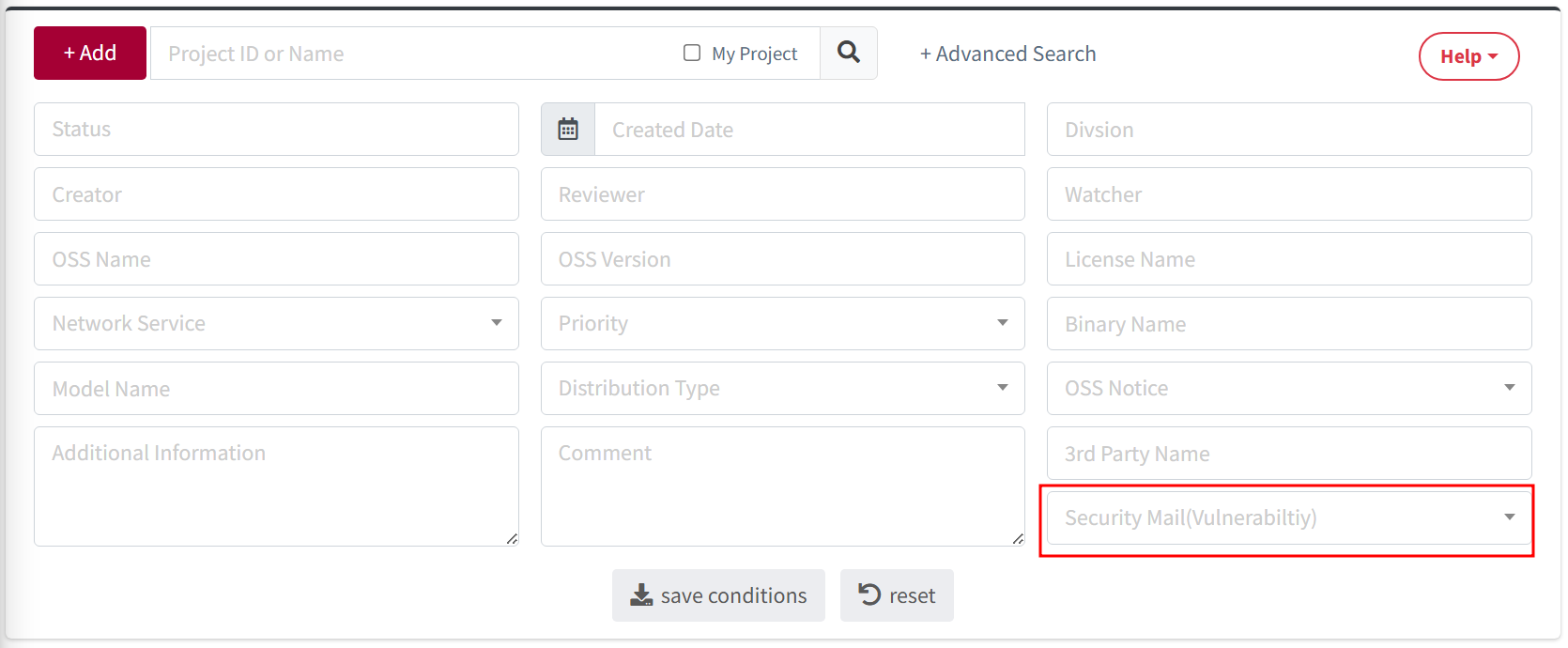
- You can search for the Security Mail (Vulnerability) setting value (Enable or Disable) in the Project List.